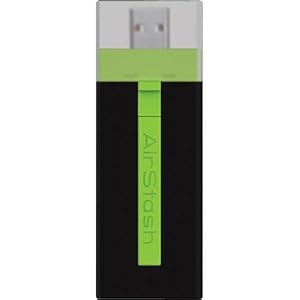
Maxell Airstash
Image Source: http://www.amazon.com/Maxell-AirStash-Expandable-Capacity-Wireless/dp/B006473T92/ref=sr_1_2?ie=UTF8&qid=1354189519&sr=8-2&keywords=maxell+airstash
So close, but yet so far. Let me save you some reading if you like: AIRSTASH DOES NOT ALLOW TRANSFER OF RAW FILES FROM THE IPAD.
My Airstash arrived yesterday, and after a few blips in upgrading the firmware, was ready to go. Very promising. The app (Airstash+) actually has a simple interface. Click the little camera icon, and you can say whether you want to import (from Airstash to iPad) or export (to the Airstash), select your images, and go. So, I did a test with ~250 images stored on the iPad (in both jpeg and raw) during a meeting. I was elated. Within 40 minutes it was done. So cool!
The transfer rate was not fast, but certainly acceptable. The devise design is nice - it's very small, light, not much more in your bag than a normal SD card - USB adapter.
Then came the final part of the test. Plugging the Airstash into my desktop, I looked at my transferred images. What? No raw files! Just jpegs. The transfer changed all of my raws into jpegs.
I thought there must be a setting that I missed. There isn't. In fact, there are so few settings that I scanned all of them three times in a few minutes. So, reluctantly, I called the 24/7 Maxell service line.
After a several minute hold, I got a real person. He immediately told me that I'd have to do some internet research, and that this functionality was on the app end, which is produced by a third party. I replied that I had read the MAXELL web page extremely carefully before making this purchase, and that it clearly indicated compatibility with raw files. After pushing back, he agreed to talk with someone else there at Maxell. He came back on the phone after consulting with the Airstash Support Manager, and informed me that the software automatically converts raw files to jpeg upon export to the Airstash. There is nothing you can do to change that. I calmly informed him that this "feature" makes the device completely unhelpful to serious photographers, and it's on its way back. He said "Okay, thank you!" and we were done.
A couple of you have suggested divorcing from Apple for this function. I'm afraid I may have to agree with you. I'm so hooked on the iPad interface and apps for other purposes, it is difficult to consider something else. But, it just won't seem to help me out here.
I thought Apple's strongest core of users came from the arts, science, and imaging worlds. How can they not see the need to give this to us photographers?
I'm going to take a break from this pursuit for a while. I'm not doing any more big travel until spring...
DMC-365.blogspot.com

