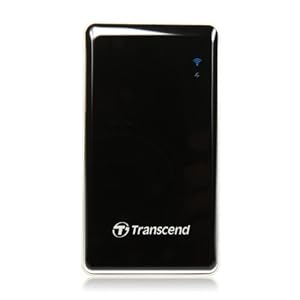
Oh, boy. Can't really believe I'm doing this. But, it's time to get my photo storage and processing more organized.

Image Source: http://www.wdc.com/en/products/products.aspx?id=1460
One of the reasons that I still enjoy film photography is that I like physical artifacts - in this case, negatives. I have nicely organized notebook binders for my negatives, and can find any image I want very quickly. To be fair, the digital (scanned) versions that I have in Adobe Lightroom allow me to browse very quickly to even decide which negatives I may be interested in finding again, but that's a different matter.
With my digital files, I also have a logical filing system, whereby when I upload from my camera (usually by sticking the memory card in the reader on the front of my computer), I make a folder that's named with a date code (for example, August 20, 2015 is "082015") followed by a brief description of what I shot. For example, if I shot birds on August 20, 2015, the folder would be called "082015_Birds." This naming system would allow me to find most things even without my Lightroom catalog.
So, what problem am I trying to solve? Well, first off, I shoot raw files most of the time, which means that I fill up hard disks pretty quickly. This will only get worse as I recently bought a Nikon D810, which produces enormous files.
Second, I want to have a real backup (second copy) of every image. I just can't get comfortable with keeping a single copy, even with RAID (redundant array of independent disk) setups. More on that later.
So, lots of large files and the need for 100% backup have led me to my current configuration. That is, I have a 2Tb internal drive in my PC, which serves as my primary storage for recently-shot images. This is what I upload to from my camera. It contains all of my images from 2014, and 2015 to date. Then, I have a larger (4 Tb) external drive (Western Digital), connected through USB3. That drive has two main functions - 1) it contains primary copies of all of my earlier images (before 2009 through 2013), and 2) my internal drive mentioned above is automatically backed up to this external drive. So, the external drive is sort of a mix of primary (older) files and backups (copies) of what's on my internal drive. The backups of my older files are on separate hard disks, stored in a drawer (not live).
All of this works, but is not very logically-configured. The configuration grew organically, and it shows.
So, I'm about to embark on a data storage system improvement. I know that I'll purchase a network attached storage (NAS) device, with at least four hard disk slots. My plan will be to continue to have my most recent images on a larger (4 Tb) internal drive, and have four matching 4 Tb drives in the NAS box. The NAS will not be set up in a RAID configuration, at least not officially. It will be what is called "Just a Bunch of Disks" (JBOD).
Here's how I'm planning to configure the NAS:
- One drive will be dedicated to my older primary files. Backups of these files will continue to be stored on a separate drive, in a drawer (not live).
- The second drive will be used to automatically back up the internal 4 Tb drive in my computer, which will remain my primary drive for recent files
- The other two drives will be empty, for now.
So, why have two empty drives? Because that's my plan for the future. Namely, as my internal drive becomes full, I'll need to make a transfer. I'll take drive 2 (the backup of my internal drive) out of the NAS and put it in a drawer for long-term archive. I'll then remove the full internal drive from my computer and put it in the newly-open slot in the NAS. Next, I'll install a new internal drive, and set it up so that slot 3 in the NAS (with a new empty drive in it) is used to back up the new internal drive. I'll be able to continue this through two more iterations before my NAS becomes full. That should be quite a while.
I hope this makes sense. I have just decided on how I want it set up, and believe it's safer than any other RAID configuration I've come up with.
If one of the disks containing my older files were to fail, I'd just pull a backup drive out of the drawer. If my internal drive (with primary copy of my newest files) fails, I'll have a live backup in the NAS. The only way to lose recent data would be if my internal drive, and the NAS backup were to fail at the same time. That could happen, I suppose (e.g. a fire in my office), but it's pretty unlikely. I also like that the two copies of my recent files will be in two different boxes (one in my computer, one in the NAS). I've had a drive controller fail and ruin two copies at once in the past, and I lost data.
I would love to have a way to automatically upload jpeg copies of my images to a cloud storage system. I haven't figured that out yet. I have unlimited storage on flickr, but uploading is a manual and slow process. I'll work that out after setting up my local gear.
So, I'll work on cleaning up my data storage first.
Next, I'll work on improving my computer speed, as it's pretty darned slow running Lightroom. I'm strongly considering changing from my home copy of Lightroom to using Adobe's new Creative Cloud, which is a subscription model that will get me access to Lightroom and Photoshop for $10 per month. I will also likely need to upgrade my computer, internal memory, and graphics handling, but that all comes later, once my files are in order.
DMC-365.blogspot.com