Showing posts with label menu. Show all posts

Monday, September 21, 2015

Learning the Nikon D810 - My Menu Settings

D810's "My Menu"
 
I've been using my new Nikon D810 almost exclusively for shooting birds with my 200-400mm f4 lens so far. Clearly, it's good for so much more in addition.
 
So, I've decided to figure out how to use all of the functions, and how to remember which are important to think of regularly as I change shooting conditions.
 
Among the features are Shooting and Custom Setting "Banks." These allow you to save settings for different applications and quickly switch between them. The big problem (unbelievable, really), is that if you're in a bank and change a setting, it remains changed, even after you turn off the camera. Basically they really only represent whatever your settings were last in that bank! Yes, you can get around this, if you can remember to reload settings each and every time you shoot. This requires not only a good memory, but also that you use the same memory card (where the settings are stored) every time, and don't format it. Not so useful.
 
A better option is to use "My Menu." This feature allows you to identify up to 20 settings from the menu system, which you want quick access to at any time. I went through every menu and selected which features I think I'll need regularly. Here they are:
 
  1. ISO sensitivity settings
  2. e3 Flash contrl for built-in flash
  3. e4 Exposure comp. for flash
  4. Image quality
  5. Battery info
  6. NEF (RAW) recording
  7. Manage Picture Control
  8. d13 Battery order
  9. d5 Electronic front-curtain shutter
  10. d4 Exposure delay mode
  11. c4 Monitor off delay
  12. c3 Self-timer
  13. c2 Standby timer
  14. b6 Center-weighted area
  15. a8 Number of focus points
  16. a4 AF activation
  17. a1 AF-C priority selection
  18. Long exposure NR
 
That still leaves two more features, should I decide to add them.
 
These are by and far the features that I'll use most. By having them in My Menu, I will only have to find them in a list of 18, rather than searching through the entire menu system when I need them. Win.
 
So, while I may not use the settings banks, My Menu will be key for my use of the D810.
 
DMC-365.blogspot.com
 

Sunday, May 13, 2012

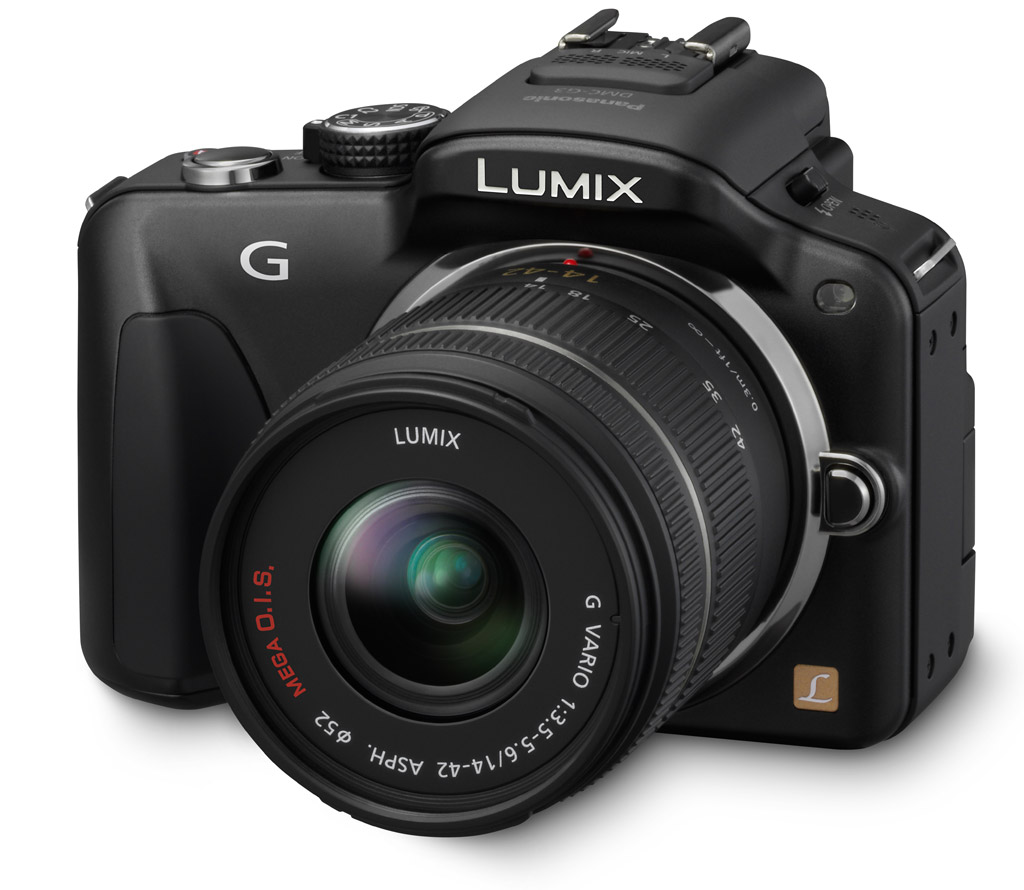
Free Again! Chapter Two of My eBook for How To Set Up Your DMC-G3 Is Now Available For Download

DMC-G#
Image Source: http://www.imaging-resource.com/PRODS/DMCG3/ZURBE.JPG

My second ebook chapter on how I set up and use my Panasonic Lumix DMC-G3 is now available.

This one took a long while to write. In Chapter Two, I go through all of my settings in the Recording, Custom, Setup and Playback menus. These are the settings that most affect my daily shooting.

(Click Here) to download Chapter Two in Adobe pdf format.

Again, if you appreciate this document, drop me a comment, tell your friends, purchase your Amazon items by clicking through from this blog, etc. Any support is always appreciated.

Most importantly, if you see any mistakes, let me know!

My plan is to follow up these initial two chapters with some information about custom settings, and some real applications with the camera. Chapter Two is purely focused on menu settings, which I am glad to be through, to be honest.

I hope you find this useful. Let me know!

DMC-365.blogspot.com


Sunday, May 6, 2012

Free! My First Installment of an ebook on How to Set Up Your DMC-G3!

Image Source: http://shop.panasonic.com/shop/model/DMC-G3KK
 
Ok, folks, for those of you who are Panasonic Lumix DMC-G3 users, I've embarked on a project to document how I set mine up, and share it with all of you.
 
There is a dizzying array of menus and settings on the G3. I worked through all of them, at least to some extent, and documented not only HOW I set them, but WHY. Now I don't expect you to agree with all of my settings, but at least you'll know what you're disagreeing with, if you decide on a different setting.
 
I have completed the first chapter, which I share here with you now.
 
(Click Here) to download the first installment of my G3 Settings Manual in Adobe pdf format.
 
The second chapter, much more extensive, outlining my settings for the Priority, Shutter, and Aperture Priority and Manual modes, is nearly finished. It will be distributed in the same way.
 
All I ask in return is that you buy your Amazon items by clicking through from my site. That really hasn't paid off yet; I think I'm up to about $15 revenue, total, ever. Of course, if you'd like to contribute directly to this blog, rather than buying things from Amazon (on which I make a very small percentage commission), you can always send me Paypal at rgeorge911@hotmail.com.
 
But, I'm really not in this for the money. It would be great to bring in enough to pay my annual flickr and smugmug bills...
 
I sure hope you find this manual useful. I actually learned some things in the process of writing it.
 
UPDATE 5/13/2012: Chapter Two is now available as well! (Click Here) to get it.
 
DMC-365.blogspot.com