Showing posts with label DxO. Show all posts

Tuesday, August 4, 2015

Nikon D810 and Df - The Best Combination Available Today?

Well, I've been thoroughly enjoying my Nikon Df for some time now. The low light capabilities of this camera are spectacular.
 
I've recently purchased a Nikon D810, specifically to take advantage of the increased resolution (36 megapixels) for nature photography. Mounted on my Nikkor 200-400mm f4 AF-S VR G lens, the D810 should allow me more freedom in cropping, which is always useful in wildlife photography, especially with active species like birds.
 
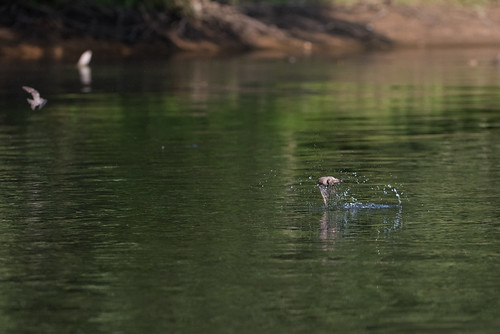
I've only had my D810 out a couple of times so far. One was this morning, shooting birds on a kayak outing. Here's a tightly-cropped shot of a swallow hitting the water surface.
And here's a 100% blow-up (cropped even more).
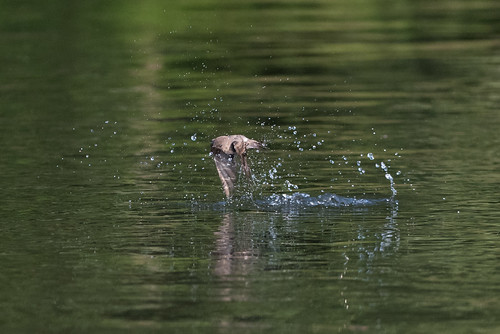
What I've found so far is that while the D810 does allow significant cropping, it doesn't handle high iso noise nearly as well as the Df. Of course, that's well-known in the Nikon crowd, and makes perfect sense, given the much higher number of pixels crammed into the same sensor real estate as the Df. The shots above were made at iso 1600, and noise is quite visible on my screen, looking at the images in Lightroom.
 
Here's a snapshot of DxO Lab's comparison of the two cameras:
 
Image Source: http://www.dxomark.com/Cameras/Compare/Side-by-side/Nikon-Df-versus-Nikon-D810___925_963
 
As you can see, the D810 wins in overall score, color depth, and dynamic range. But, it performs significantly worse in low light (high iso). Again, no new information here, but it's helping me to form my opinion of this pair of cameras and how best to use them.
 
Basically, the D810 will fill my need for high resolution and cropping ability when shooting wildlife in good light. Or anything else in good light, for that matter. The Df will remain my go-to camera for more challenging lighting situations, and when cropping is not as necessary.
 
So, I think that for me, yes, this is the best combination of Nikon bodies available today.
 
I have to get the D810 out in the field again, and shoot at lower iso settings. I'm sure that's going to really impress me.
 
DMC-365.blogspot.com


Tuesday, July 28, 2015

So, Which of My Lenses Are Best on the Nikon D810?

 
Nikon
 
The advent of the D810, and its predecessors the D800 and D800E, caused many photographers to find the limits of their lenses. It used to be rare that the sensor was good enough to have the lens be the limiting factor in image quality, or acuity. Now, it's not rare at all.
 
So, which lenses from my (rather extensive) kit of Nikkors will work well on the D810 that's on its way to me in the mail?
 
I found a nice list on the DxO page, which lists the top choices for prime and zoom lenses for the D810. Testing over 100 lenses on the D810, they've compiled a list of the ones they found most suited to the new super-sensor. (Click Here) to read the full list.
 
As expected, my new 28mm f1.8 AF-S G lens, my most modern lens, makes the list. Importantly, so does the AF-S 200-400mm VR, though they tested the version 2 of this lens; mine is version 1. As the 200-400 is likely to be my most-used lens on this new camera, that's important to me. Another modern lens in my kit, the 70-300mm f4.5-5.6 VR zoom made it on the list. That's good.
 
Then there were a couple of surprise entries from my older lens selection: the 85mm f1.8 AF-D and the 50mm f1.4 AF-D (which I use all the time). Great to see those there, as well.
 
So, I feel that in addition to the 200-400, which will be my nature workhorse, I've got a full set of wide (28mm), normal (50mm), short telephoto (85mm), and long compact zoom (70-300) to choose from with this camera. I'll certainly use other Nikkors on the D810, but with these, I know that I can expect the very best results.
 
DMC-365.blogspot.com
 

Thursday, December 6, 2012

Getting That Film Look From Digital - Theme Presents a Nice Summary of Software Options

 
Black and White Conversion Done in Lightroom
 
It's pretty interesting how there seems to be a persistent interest in shooting film, or at least getting results that look like film. I started this morning's blog story search with an article on Theme about how some photographers (I won't say "many"), including some pros, are sticking with film.
 
(Click Here) to read how some pros are continuing to shoot with film.
 
That led me to another article on Theme, about using software to make your digital images look like film. In this piece, they cover five optional add-ons to your normal photo editing software (Adobe Lightroom in my case):
 
  1. DxO FilmPack
  2. Alien Skin Exposure 4
  3. Nik Silver Efex Pro 2 (for black and white)
  4. Nik Color Efex Pro 4 (for color)
  5. TrueGrain (specifically for grain effects)
(Click Here) to read the whole piece on Theme.
 
The article describes how Sebastiao Salgado refused to switch to digital until he could recreate the look he's always gotten with black and white film (Kodak TriX 400). Now that he's switched, he processes his images with DxO FilmPack, and even transfers them to a film base digitally.
 
Both DxO and Nik have free evaluation versions. Theme suggests that DxO is less expensive, and does the job very well.
 
Personally, I don't like spending time editing images, but do a fair amount of conversion to black and white. I have been doing it all within Lightroom, which allows me to save presets. However, I'm interested in finding out what I've been missing with one of these other packages.
 
I'm tempted to try DxO. However, I already have Nik's excellent HDR Pro software for high dynamic range imaging, so I may try Silver Efex. Maybe I'll try to do this over the holidays. I'll report back after I've had a chance to play a little.
 
Of course, I continue to shoot film as well. I see no reason to be exclusive in my approaches.
 
DMC-365.blogspot.com