Showing posts with label iPhone. Show all posts

Thursday, October 26, 2017

7 Day Black & White Challenge


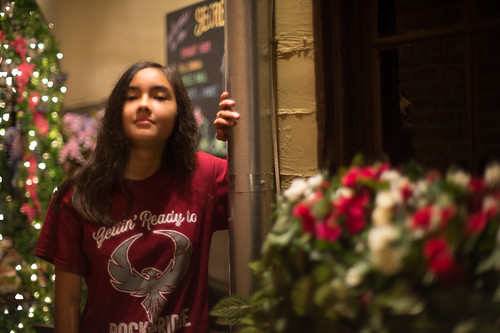
My friend and co-worker nominated me to take part in a photo challenge on facebook, specifically, a 7-day black and white challenge.  The images are to be presented without words or description, and should not include people as subjects.

(Click Here) to see the challenge.

I’ve shown my results for days 1-4 above, all shot with either my iPhone SE or iPad Air.

Great fun, so far.

UPDATE:  Here's the final three


Dmc-365.blogspot.com

Tuesday, October 6, 2015

Panorama

 
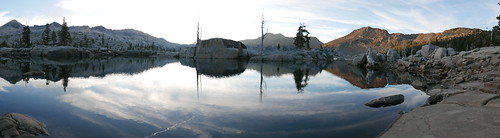
Aloha Lake, Desolation Wilderness, by Reed A. George
 
The iPhone does an incredible job with panoramas. Click on it to see the detail.
 
DMC-365.blogspot.com


Sunday, July 5, 2015

Did You Get a Release for That?

Model releases can be very important for certain types of photography. I didn't get a release for this shot, as I'm not inclined to sue myself for posting a picture of my kid. But, you get the point.
 
I've actually been waiting to see an iPhone app that takes care of model releases for the mobile photographer. And, it's here. This app from Snapwire not only allows you to get signatures on the fly, on your phone, it integrates with several other applications, including Dropbox and Evernote (my choice of document organization tools).
 
(Click Here) to read about the app on DIYPhotography.net
 
 
DMC-365.blogspot.com


Sunday, September 21, 2014

Travel Day - Made it to Provincetown for Magnum Days

Today was a travel day. It started at 5:30AM at home in Virginia. Left home at 6:30 to drive into DC for a flight out of Reagan National. Arrived in Boston, Logan a little before noon, got my rental car, and drove 2 1/2 hours Provincetown, Massachussetts for the Magnum Days workshop at the Fine Arts Work Center.
 
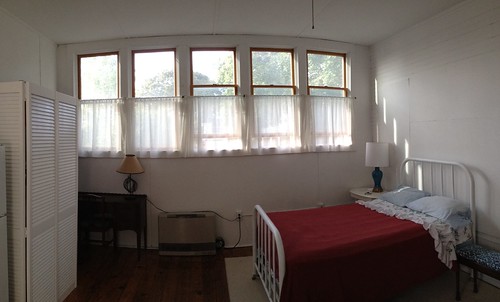
After meeting up with my Boston friends James and Maria, who happened to be in Provincetown for a getaway, I got checked into my room. Perfect. Here's what it looks like:
 
Provincetown Room, by Reed A. George
Apple iPhone, Pano setting
 
Sorry for the iPhone pic, but it actually did a nice job of it.
 
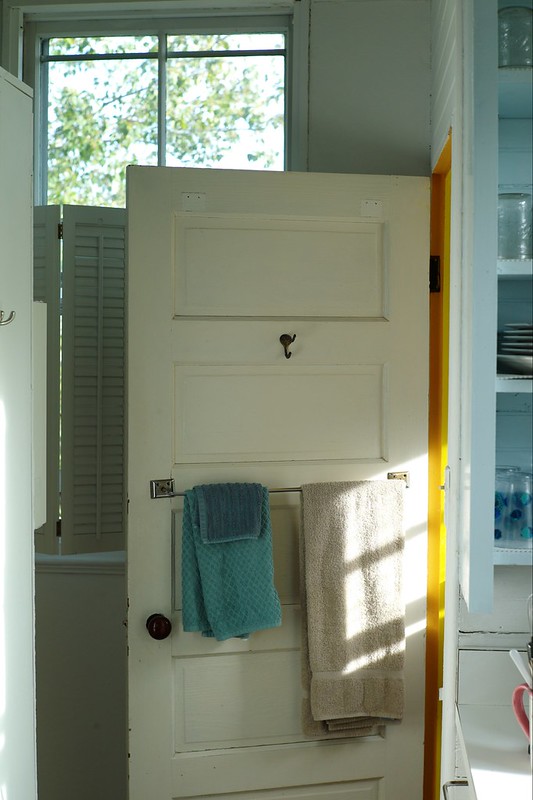
I've read that the light out here on the Cape is special. Well, judging from the afternoon light coming through my bathroom window, I think it may be true...
 
Afternoon Light, by Reed A. George
Leica M9, 50mm f1.4 Summilux
iso 200, f5, 1/125 sec.
 

Don't forget my delay in posting; by the time this posts, I'll be back in Virginia, hopefully with lots of new ideas, techniques, and creative directions! I'll post every day while I'm here, even though they have a very busy schedule planned for us.

DMC-365.blogspot.com


Monday, October 14, 2013

Accidental Degas (Impressionism) on THEME blog

Image Source: http://www.the.me/the-accidental-degas/?utm_source=feedburner

I love this. On the photography daily blog THEME, the author describes how they got the image above by accident - using an iPhone to photograph in low light at a gala dinner party.

It appears to me that noise reduction software in the iPhone provided the impressionist smearing. The colors are just magnificent.

(Click Here) to read about it, and see the image compared to a real Edgar Degas painting on THEME.

It is so easy to get hung up in technical perfection. Sometimes the impression is more important than the details. It was shown by the impressionists, who really weren't accepted at the time by more realistic painters. This picture proves that it translates to photography as well.

DMC-365.blogspot.com


Saturday, June 29, 2013

Over - A Nice App For Adding Text to Images on iPad

 
Just Playing Around
 
You know how Starbucks has those little cards giving away a free App or song each week? This week's App in my local store is called "Over." Over is an image editing program, which allows you to add text or art to your pictures. Pretty darned cool.
 
I downloaded Over from the App store, and played around a little with it, just using images that were already on my iPad. This is a very simple way to add text to your images. I'm thinking of making electronic postcards from your beach vacation, for example. Here's a hint: once you've added text and hit "Done," use the yellow arrow on the right of the screen to find options for how to modify it. The options that come up are on a wheel, which you can spin for more options. I'm sure this doesn't make sense, but it will once you open the App. Finding the wheel is necessary to be able to save your image, for example.
 
Here's another image I played around with:
 
Could Be Useful
 
Hmm. No bad for the price (free).
 
DMC-365.blogspot.com


Wednesday, June 26, 2013

This Might Be A Fun Little Gadget - The Kick by Photojojo

 
Photojojo is marketing "The Kick," an LED light array, complete with an iOS (iPhone, iPad, iPod Touch) app. You can use it to light photographic scenes, either attached to your iPhone, or remotely. It even has a tripod mount so you can stably mount it just about anywhere.
 
The Kick provides constant light (not strobe), and has the following features:
 
  • Color balance via the app (2,500 - 10,000 K)
  • Intensity control
  • Tripod mount
  • Rechargeable Li ion battery (charge with USB)
  • Ability to sample light and mimic color balance with the LEDs
There are some pretty cool example shots on the website.
 
(Click Here) to investigate The Kick on Photojojo
 
Cute. $179 cute? Hmm. That seems like a lot. Probably not buying one this week.
 
DMC-365.blogspot.com


Thursday, September 27, 2012

Well, Here's a Funny Twist... Impossible? Yes. The Impossible Project, That Is.

Finally analog instant photos from your favorite digital images!
 
The Impossible Project's Instant Lab
Image Source: http://www.kickstarter.com/projects/impossible/impossible-instant-lab-turn-iphone-images-into-rea
 
So let me get this right. People want to snap pictures on their iPhones and turn them into Polaroid-style instant prints? Apparently so.
 
(Click Here) to read more.
 
This gadget allows you to shoot with your iPhone camera, bring the image up on your display, then lay it on top, expose instant film below, and print. I have to admit, I don't get it.
 
First off, I'm not an iPhone user (crowd gasps)...
 
I can understand why you'd want to be able to give iPhone pics to your friends. Here are a couple of things I don't understand:
  1. They're digital pictures - can't you give them all to your iPhone-carrying friends digitally? Of course you can.
  2. If someone wants to give ME one (without an iPhone), they can email it. I do have that.
  3. Let's say I just love to have photos on real paper - wouldn't I rather print it out directly? Something like this?
(Click Here) to see the Polaroid instant printer for iPhones, as reported by Chase Jarvis.
 
Why in the world would I want it to go through the instant film process and cost?
 
I've been wrong about things like this before. But I think this appeals to the very rare person who loves analog prints, along with the very analog process of making a Polaroid print, yet loves digital technology, and uses an iPhone camera. I'm in the first class of people, who still love analog photography. But, I just shoot with an analog camera. I can't imagine wanting the convenience of shooting with an iPhone (which is considerable), and still planning to carry the Instant Lab with me to make prints for my friends. So I can carry the iPhone in my pocket, pull it out and shoot anytime - that's cool. What, I also wear a backpack with my Instant Lab and pack film, sit down, expose, and wait a few minutes for a print of an image that's gone through the lossy process of exposing an LCD representation onto instant film? And have yet another battery to charge? Unlikely. Impossible? Well, that's their name.
 
I think these guys are very creative. I love that they're around. I love the idea that instant film is still available. I don't get why 8X10 film is available, while 4X5 is not. But, I'm sure there's a good reason.
 
Keeping working on it, Impossible. I'd almost buy one just to keep your creative gears turning.
 
DMC-365.blogspot.com